Executive Summary
Picture this: you've just finished lunch. You know you should log it, but that means opening an app, searching for “grilled chicken sandwich”, scrolling past forty near-identical entries, guessing the portion, then doing it all again for the fries and the drink. Most people give up by day three.
Now picture typing one sentence, “Grilled chicken sandwich with fries and a large Diet Coke”, and having calories, protein, fibre and an allergen check appear a second later. That is Allerwell.
Gunpowder Innovations was Allerwell's end-to-end product partner. We took it from a blank page to a live app on the App Store and Google Play, owning product strategy, research, interface design, mobile engineering, the nutrition and allergen data pipeline, security, testing and store release.
Client: Allerwell
Industry: Health & Nutrition, Food Allergy Management
Platforms: iOS and Android
Engagement: Full product build from scratch
Stack: Figma, Flutter
Status: Live on the App Store and Google Play

The Problem Behind Every Plate
Every meal raises two questions. The first is familiar: how much am I eating? The second matters far more to millions of people living with food allergies and intolerances: is this safe for me?
Existing apps answered the first question badly and the second not at all. Calorie trackers buried users in database searches and manual portions. Allergy-conscious eaters were left cross-checking ingredient labels, asking waiters and relying on memory, with a calorie app open in another tab.
Allerwell's founders wanted one app that answered both questions at once, and did it so quickly that logging a meal felt as natural as texting a friend.
The Challenge
That ambition came with a demanding set of requirements:
No forms, no menus. Replace manual entry with plain language, without losing accuracy.
Numbers people can trust. Every calorie and macro value had to come from real nutrition sources, and users had to be able to see them.
Safety before the first bite. Allergens had to be caught before a meal is logged, matched to each user's personal profile and severity.
Works anywhere. Allergy information had to stay available with no signal, in restaurants, on planes and abroad.
Private by default. Allergy and health profiles are medical data and had to be protected that way.
One product, two platforms. A consistent experience on iOS and Android without building everything twice.
Our Role
We worked as one integrated team. The people who shaped the strategy designed the screens and wrote the code, so nothing was lost in hand-offs between agencies or departments.
Product strategy and feature definition
User research and UX architecture
Brand character, UI design and design system in Figma
Cross-platform mobile development in Flutter
Meal parsing, nutrition data and allergen matching pipeline
Offline-first architecture and secure on-device storage
Quality assurance and App Store / Google Play release
Phase 1: Discovery — Listening to How People Talk About Food
We started with conversations, not screens. We asked people how they describe what they ate, why they had abandoned trackers before, and what goes through their mind when they order food with an allergy.
Three insights changed the direction of the product:
Nobody thinks in database entries. People say “oats cooked in milk with banana”, not “oats, rolled, dry, 40 g”. The app should understand the first version.
Trust comes from transparency. A calorie number is only believable if you can see where it came from.
Not all allergies are equal. A mild intolerance and a severe allergy need very different warnings. One-size-fits-all alerts either cause panic or get ignored.
Phase 2: Strategy — One Sentence In, Everything Out
From those insights we defined a deliberately simple core loop: type it, let Allerwell parse it, review the result. Every feature on the roadmap had to make that loop faster, clearer or safer. Anything that added friction was cut or moved out of the main path.
Five product principles guided every decision that followed:
A single input field is the heart of the app
Every number shows its source
Safety information is never hidden
Core safety features work offline
Health data stays private and on the device
Phase 3: Design — A Food Tracker With a Personality
Health apps often feel clinical. We wanted Allerwell to feel warm, calm and a little playful, so people would actually want to open it three times a day.
A friendly brand character
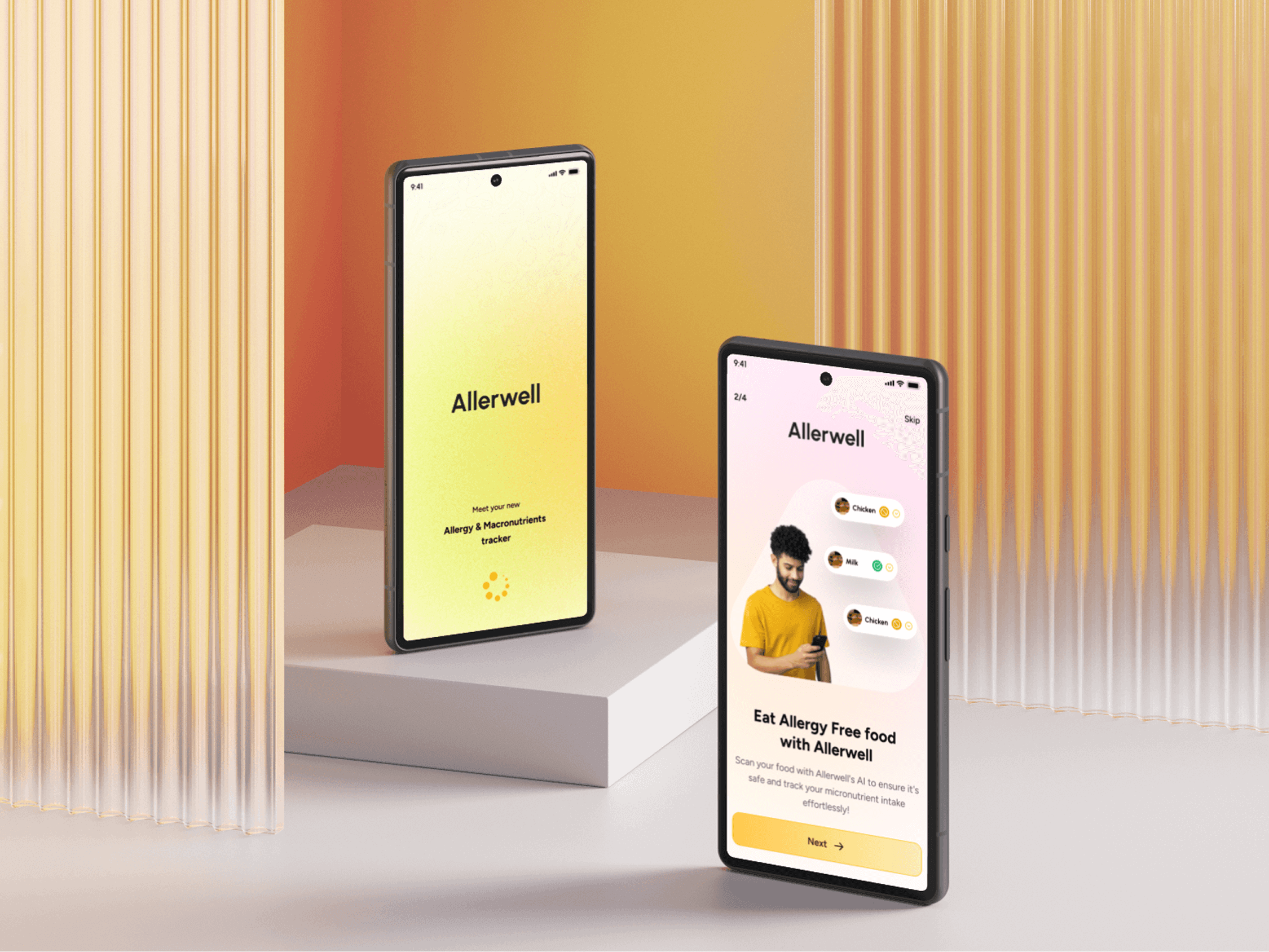
We created Allerwell's soft, rounded mascot: a cheerful, cloud-like character set against a warm sunrise gradient. It appears as the app icon and greets users inside the app as the face of the logging assistant, turning a chore into a quick chat with a friendly helper.
Onboarding that respects severity
Setup takes a minute. Users search and add their allergens, such as milk, yogurt or cream, then choose a severity for each one: Mild, Medium or Severe. Simple expressive icons make the choice instant, and the severity shapes how strongly Allerwell warns them later. From that point on, every meal is checked automatically.
Logging that feels like texting
The logging screen is built around one generous text field and a simple prompt: What are you eating? Users can type, speak with the microphone, or snap a photo with the camera. Favourite and frequent meals appear as one-tap chips, like soup, coffee or a rice bowl, each showing its calories. A daily intake bar at the top shows progress towards the day's target at a glance.
A day that tells a story
The home screen is a timeline of the day. At the top, a colourful rosette visualises calories, protein and fibre against the user's targets, alongside a streak counter that rewards consistency. Below, each meal sits at the time it was eaten. When a new entry is still being analysed, a gentle loading state appears in place, so the timeline never feels frozen.
Every meal, explained
Tap any meal and Allerwell opens a full breakdown. Calories, protein and fibre sit at the top. Below them, a plain-English summary explains why the dish looks the way it does: for a mutton biryani, that the calories come from ghee, rice and marinated mutton, that carbs dominate, and that sodium can run high depending on preparation. Identified ingredients appear as clear chips, and a Sources section lists the nutrition references used, so users can check the numbers for themselves.

Phase 4: Engineering — Making One Sentence Do the Work
One codebase, two platforms
Allerwell was built in Flutter as a single codebase for iOS and Android. One team delivered both apps with shared logic and a pixel-consistent interface, while still meeting each store's platform guidelines.
From sentence to nutrition data
At the heart of the app is a pipeline that turns free text into structured nutrition data. It identifies each food and quantity, matches them to real nutrition sources, calculates calories and macros, and writes a short summary of the meal. Multi-dish meals are split item by item so users can review and adjust each part.
Allergen matching with severity
Every identified ingredient is checked against the user's allergy profile and its severity level. Conflicts are surfaced before the meal is saved, and the same matching powers menu scanning, so users know what is safe before they order.
Offline-first by design
Safety shouldn't depend on signal strength. The allergy profile and the data needed for core safety checks live on the device, so the most important information works in a basement restaurant, on a flight or in another country.
Security and privacy
Allergy and health profiles are protected with end-to-end encryption and kept private and local to the user's device.
Key Features at a Glance
Natural-language logging: type a meal in your own words, multiple dishes included
Voice and photo input: speak or snap a meal instead of typing
Quick-add chips: log frequent meals in one tap
Calories, protein and fibre: tracked against daily targets
Meal summaries: plain-English explanations of every dish
Sourced nutrition data: every value linked to its references
Severity-aware allergen detection: warnings matched to Mild, Medium or Severe
Menu scanning: check what's safe before you order
Streaks: a gentle nudge to keep logging
Offline access and on-device encryption: safe and private anywhere
Phase 5: Testing & Launch
Before launch, we tested Allerwell the way real people would use it: with messy, real-world meal descriptions, regional dishes, multi-item orders and no internet connection. Particular care went into allergen warnings, because those are the moments users depend on the app most. Functional, usability and device testing covered a wide range of iOS and Android phones.
We managed submission and release on both stores. Allerwell is now live on the App Store and Google Play, and currently free for all users.
The Outcome
Live on both platforms from a single Flutter codebase
Logging reduced to one sentence, with voice and photo as alternatives
Calorie tracking and allergen safety combined in one experience
Transparent data with sources shown for every meal
Personal, severity-aware warnings that work offline
A warm, recognisable brand that makes daily tracking feel lighter
Services Delivered
Product Strategy
User Research
Brand Character & App Icon
UX/UI Design & Design System
Cross-Platform Mobile Development
Data Pipeline & Integrations
Security & Privacy Engineering
Quality Assurance
App Store & Google Play Release
Technology
Design: Figma
Mobile: Flutter (iOS & Android)
Architecture: Offline-first, encrypted on-device storage
Data: Nutrition source integration, meal parsing, allergen matching
Conclusion
Allerwell proves that the best health tools don't ask more of people; they ask less. One sentence replaces a dozen taps. Every number shows where it came from. And for anyone living with a food allergy, the most important question, is this safe for me?, is answered before the first bite.
From the first user conversation to the final store release, Gunpowder Innovations designed and built Allerwell as one team, delivering a warm, secure and genuinely useful app that is now in people's pockets on iOS and Android.